SAVING · FOCUSED ANSWER
How Credit Reports Work and What They Include
Credit reports collect information about your credit accounts and payment history. Learn where that information comes from, what appears on a report, and why your reports may differ.
IN PLAIN ENGLISH
The Short Answer
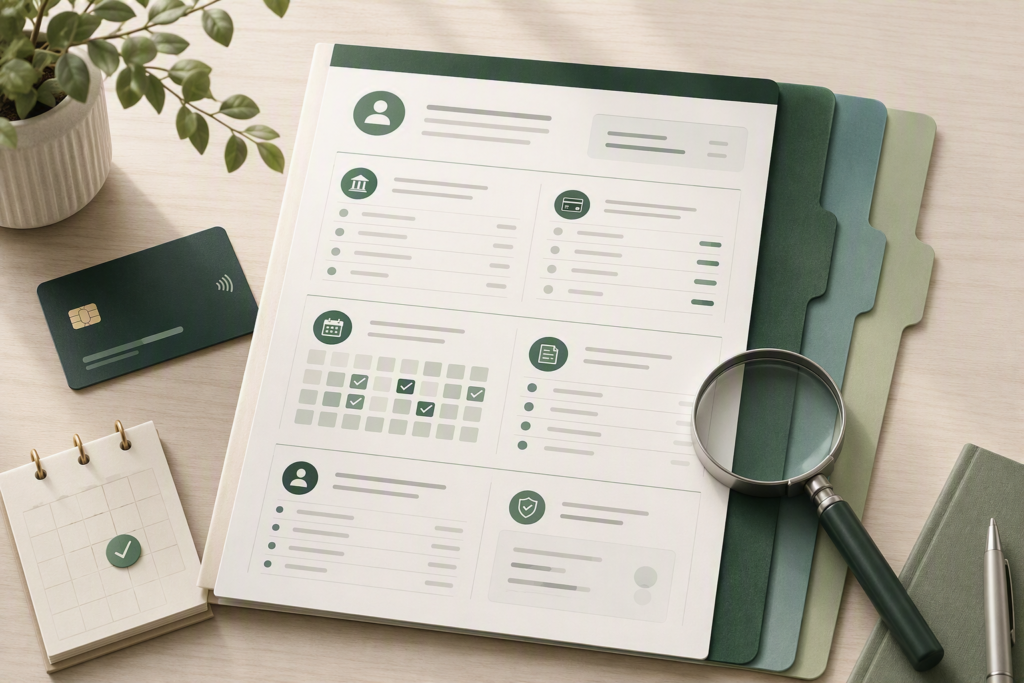
A credit report is a record of information about your credit history. It can include credit accounts, reported balances, payment history, collections, certain public records, and a record of who has accessed your credit file.
Credit reporting companies collect this information from lenders, credit card issuers, debt collectors, and other sources. Because not every company reports to every credit bureau, your credit reports may contain different information.
SIMPLE FLOW
Account activity → information is reported → credit file is updated
INSIDE YOUR REPORT
What Information Does a Credit Report Include?
Credit reports organize several types of information in one place. The exact layout can vary by credit bureau, but most reports contain the same core categories.
Personal Information
Your report may list identifying details used to connect credit information with you, such as your name, current and previous addresses, date of birth, and parts of your Social Security number.
These details help identify your file. They are not, by themselves, measures of how you manage credit.
Credit Accounts
Credit cards, mortgages, auto loans, student loans, personal loans, and other reported accounts may appear in this section.
- Account type and creditor name
- Date the account was opened
- Reported balance or loan amount
- Credit limit, when applicable
- Payment status and payment history
Collection Accounts
Certain unpaid debts that are transferred or sold to a collection company may appear as collection accounts.
Whether a collection appears and how it may affect a credit score can vary with the information reported and the scoring model being used.
Certain Public Records
Credit reports may include certain public-record information, most notably bankruptcies.
Reporting periods vary depending on the type of information and applicable law.
Credit Inquiries
Your report can also show organizations that accessed your credit information. These inquiries are generally classified as hard or soft depending on why the report was reviewed.
Commonly associated with an application for new credit and may be considered by credit-scoring models.
Can occur when you check your own report or when credit information is reviewed for certain other permitted purposes.
WHY REPORTS CAN LOOK DIFFERENT
Why Your Credit Reports May Not Match
Your Equifax, Experian, and TransUnion reports can contain different information. That does not automatically mean that one of them is wrong.
Creditors are not required to report every account to every nationwide credit bureau. A lender may report to all three, only one or two, or none of them.
Credit bureaus may also receive updates at different times. As a result, an account balance, account status, or recently opened account may appear on one report before it appears on another.
The important question is not whether all three reports are identical. It is whether the information that does appear is accurate and belongs to you.
SIMPLE EXAMPLE
One account, three possible reports
In this example, the difference may simply reflect where the creditor reports. It does not, by itself, prove that the TransUnion report contains an error.
HOW REPORTS ARE USED
Who Can Use a Credit Report?
Credit reports are commonly associated with lending, but they can also be reviewed for other permitted purposes. The exact information considered depends on the decision being made.
Credit Applications
Lenders and credit card issuers may review a credit report when deciding whether to extend credit and what terms may apply.
Rental Housing
A landlord or screening company may use consumer-report information when evaluating a rental application, subject to applicable law.
Account Reviews
A company you already have an account with may review your credit information for certain account-management purposes.
Other Permitted Uses
Depending on the situation and applicable law, consumer reports may also be used in connection with insurance, employment, utilities, or telecommunications.
PERMITTED PURPOSE MATTERS
Access to your report is not unlimited
Federal law limits when a consumer report may be obtained and used. A company generally needs a legally permitted reason to access your credit information.
WHEN ACCESS APPEARS AS AN INQUIRY
Not every credit check works the same way
Commonly associated with an application for new credit. Hard inquiries may be considered by some credit-scoring models.
Can occur when you check your own report, during certain account reviews, or for other permitted purposes. Soft inquiries do not affect your credit scores.
REVIEW YOUR REPORT
What Should You Check on a Credit Report?
A credit report review is mainly about confirming that the information is accurate, recognizable, and connected to you. You do not need to inspect every line with the same level of detail.
Identity Information
Check your name, addresses, and other identifying details for information that does not belong to you.
Accounts You Recognize
Confirm that listed credit cards, loans, and other reported accounts are accounts you opened or otherwise recognize.
Account Status
Make sure open and closed accounts appear to be labeled correctly and that account status information makes sense.
Balances and Credit Limits
Compare reported balances and limits with your records, keeping in mind that credit reports may reflect an earlier reporting date rather than today's account balance.
Payment History
Look for payments reported as late or delinquent when your records show that they were made on time.
Collections and Inquiries
Review collection accounts and credit inquiries for entries you do not recognize or cannot explain.
BEFORE ASSUMING SOMETHING IS WRONG
An unfamiliar name does not always mean an unfamiliar account
A lender or credit card account may appear under a parent company, servicing company, or another business name. Compare the account details before deciding that an entry does not belong to you.
IF SOMETHING LOOKS WRONG
What Should You Do If You Find an Error?
If information on your credit report appears inaccurate or incomplete, you have the right to dispute it. The goal is to correct information that is wrong—not to remove accurate information simply because it is unfavorable.
Identify the Information
Note the account, balance, payment status, inquiry, or other item you believe is inaccurate.
Gather Supporting Records
Statements, payment records, account correspondence, or other documents can help explain why the information should be reviewed.
Dispute the Item
You can dispute inaccurate information with the credit reporting company and may also contact the company that supplied the information.
IMPORTANT DISTINCTION
Inaccurate information and negative information are not the same
Accurate negative information generally cannot be removed just because it may affect a lending decision or credit score. A dispute is intended to address information that is inaccurate, incomplete, duplicated, or otherwise reported incorrectly.
SOURCES & METHODOLOGY
How We Verified This Answer
Verestly reviewed primary consumer-protection guidance from the Consumer Financial Protection Bureau to verify how credit reports are created, what they may contain, why reports can differ, and what consumers should check for inaccurate information.
LAST REVIEWED
September 2026
This article was reviewed for credit-report terminology, consumer-rights accuracy, source quality, and consistency with current CFPB guidance.

ABOUT THE AUTHOR
Edvaldo Ribeiro
Edvaldo Ribeiro creates beginner-focused personal-finance education for Verestly, with an emphasis on clear explanations, practical systems, and useful financial tools.
View author profile →VERESTLY NEWSLETTER
Make Credit Easier to Understand
Get beginner-friendly explanations, practical money tools, and clear guidance designed to help you understand credit and make more informed financial decisions.
Free resources · Beginner-friendly · Unsubscribe anytime
RELATED ANSWERS
Keep Exploring Credit
Continue with related guides on credit scores, credit inquiries, credit utilization, and correcting report errors.